From the “Lofty Goals” Dept’:
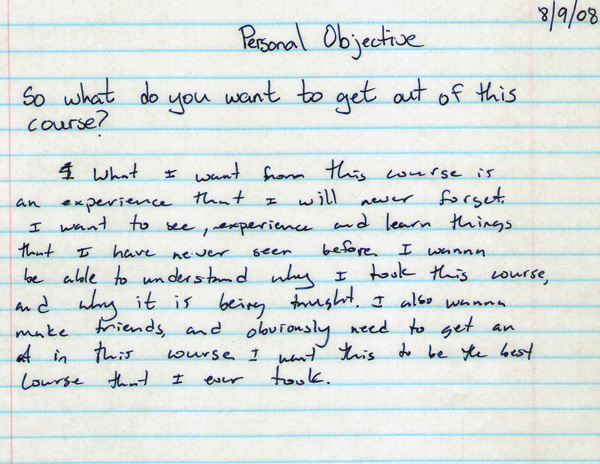
From the “Born Romantic” Dept’:
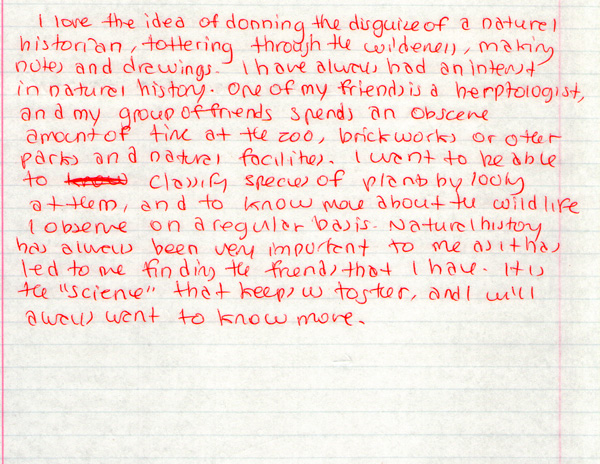
From the “Extreme Handwriting” Dept’:

From the “Cut the Fluff” Dept’:
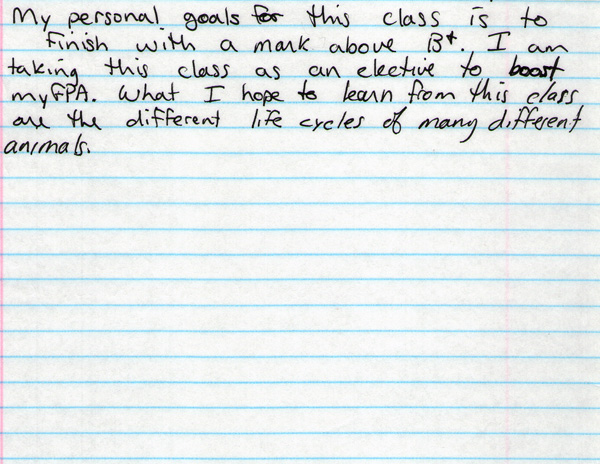
From the “Lofty Goals” Dept’:
From the “Born Romantic” Dept’:
From the “Extreme Handwriting” Dept’:
From the “Cut the Fluff” Dept’:

While I should be above caring, there is little on the two television channels that I get that I *hate* more than eTalk daily. I’m not sure if its the pseudo-journalism, the scripted off-the-cuff “check-ins” that they get to do on the 6 o’clock news, the way that the hosts (one being Ben Mulroney, whose personality on television is the all-smiling equivalent of nails on a chalkboard) stand in calculated poses (typical is hands lightly placed in pant pockets…trust me, if you’ve never noticed this go watch–arm lightly bent, hands half-way in pockets, one leg straight the other slightly bent) or the fact that the show is a half-hour advertisement for upcoming CTVglobemedia shows, events or properties, but needless to say the show drives me bonkers.
Just went I thought my hate-on was complete, what should I see walking the dog on Tuesday down Bloor Street but this eTalk branded H3 parked in front of the Intercontinental Hotel. Why on earth does eTalk need an H3? Are stars impressed by the conspicuous consumption?
Perhaps its some grand satire-an inside joke, if you will, that they’re sharing with us over the celebrities they cover –you see an H3 is basically a Colorado pick-up truck gussied up with four boxy doors to look like an impressive military-esque vehicle. The folks at eTalk must be suggesting that the celebrity machine that they cover is just like the H3 they drive: a production that’s heavy on making an impression but light on substance. I wonder…
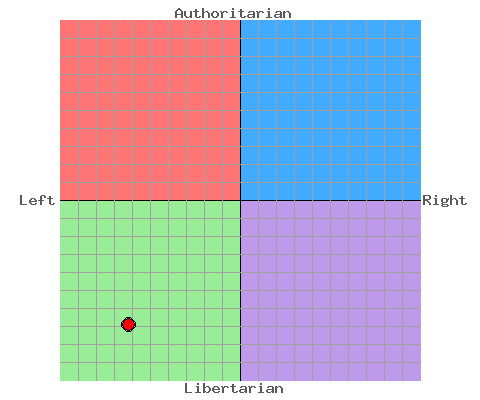
No political leader, either historically or currently, seems to be as left and libertarian as me. I guess there goes my future in politics…
Thanks to The Political Compass.
 I went to the book launch of the Peterson Field Guide to Birds of North America yesterday (pictured on the left) and I was struck by a couple of design decisions that I think are a bit peculiar. While my caveat emptor is that I spent about 5 minutes leafing through it, two one deficits jumped out at me immediately:
The first is size. The book has grown and now is more in line with the original Sibley’s guide (the website has the book dimensions listed as 6×9 inches). For me, a book of this size no longer becomes a field guide–a book that can easily slip into a coat pocket and is forgettable as you carry it around–it becomes a desk reference. Yet, right there on the cover is the fact that this is supposed to be a field guide. Sibley’s guide as a desk reference is “worth it” in my opinion, because the extra space is used to describe and illustrate a wider variety of colour morphs seen across North America. In the new Peterson guide, the bigger pages are filled with larger illustrations. I don’t know if this is a demographic decision (Houghton Mifflin: “Birders are getting old. We need to make the bird illustrations bigger so they can see them easily”), but I was somewhat surprised that the new edition is essentially an old Peterson Field Guide “super-sized.”
Second, range maps are in the back of the book. Another bone-headed move on the design front. Having to flip around a book to try and find if what I think I’m seeing should actually be where I’m seeing it is extra effort. This is actually a step backwards for the Peterson guides because in the most recent edition of the Eastern guide (and I have to assume Western, too) there are range maps right on the same page as the plates. All the “current-generation” bird books that I own have range maps right with species descriptions and plates. The only reason why I can think the move was made has to do with the size of the maps: they’re much larger then they would have been if they were to have been included with the text. Personally, a small map never was much of a limiting factor when using a guide.
Update (09-11-08): As per the first comment below, it would seem that I managed to miss the inclusion of range maps beside the species descriptions. So, it would appear that you get flip-free small range maps and the larger range maps in the back.
This guide is supposed to assume the mantle of the new edition of Peterson bird guides. I suspect that Houghton Mifflin will, Ã la Sibley Guide to Birds, publish more compact regional versions (previous Peterson guides covered Eastern and Western North America) of this guide sometime in the future. It’s an interesting plan because while this worked for the Sibley guides, I’m not so sure it will work again in the case of Peterson. My resoning is this: at some point people don’t need another field guide. There was enough value-added in The Sibley Guide to Birds to warrant having both a desk reference and a field guide. I don’t see any extra value in owning the first edition of the North American Peterson and a field-guide size regional version too. It will be interesting to see what the future holds for this edition.
I like the idea of e-book readers. Rather than printing versions of all the journal articles I’ve downloaded over the course of completing a PhD, I save the PDFs on the computer. I’ve transitioned to reading these articles on my screen at home and have a system where I can annotate the articles I’ve read. Simply, I would love the ability to take these files with me and read them places “normal” books are read (reading on the subway or not having to schlep pounds of paper around are especially appealing).
Now ignoring that Amazon’s Kindle looks like a beast, charges you money to upload PDF or Word files (so is quite the closed system and locks you into buying books from Amazon) and isn’t available in Canada, Sony’s reader is starting to look a lot better than it did just a while ago. The reader software was updated in the summer to allow any EPUB, PDF or text document to be uploaded.
Holding me back from buying any e-reader right now is the inability to mark-up documents. For me, annotation is key. Bookmarking is great, but I need some way when I’m reading to be able to mark a page and enter a thought or idea that is relevant to the text on the page. I can do this cheaply now when I read a book with a highlighter and a pen, but missing from that system is the searchability that my digital workflow allows: I can search for a term and up pop all the academic articles that have it
Just unveiled yesterday, however, is Plastic Logic’s entry into the market and it appears to be a marked improvement on Amazon’s and Sony’s readers:
Drool-worthy is the flexible touchscreen (missing from Sony & Amazon) and Wi-Fi connectivity (Kindle does connect to Sprint’s network in the states–but this is why, in fact, you have to pay to upload your documents to the Kindle. No one rides for free on cell networks). It also supports the ability to upload the regular suspects in terms of document files.
This product’s killer app is mentioned at 1:14 of the video above: the ability to mark-up documents, with drawing and text. If Plastic Logic is able to successfully integrate these features, this will have the potential to be an incredible device for my own digital academic workflow.
So, I wait with baited breath to hear more about this device.
Earlier this week, I posted a list of academic goals for the upcoming year. Kind of key, in my mind, was presenting at the upcoming 5th World Environmental Education Congress. Unrelated, I was asked earlier in the year if I would lead the Quest trip to Point Pelee next spring in addition to my regular Yukon gig. I said yes.
Now, my two worlds collide because they’re both scheduled for the same time. Colour me conflicted and disappointed. I was stupid to say yes to Quest without checking the dates for the congress. Now I’m not sure what I should do–do I cancel with Quest (which I should get on right away so they can make arrangements; problematically I think that they’ve sent their brochure to the printer with me listed as the leader) or do I just re-adjust my plan?
I thought that I might re-adjust by submitting a paper to next year’s AERA (the American Educational Research Association), a conference that Leesa keeps saying I should attend, but I just found out this morning that the deadline for the conference in April was in June. Shit. On the whole, it’s not that bad because the AERA conference is in San Diego. West-coast means expensive travel (or, at least more money then I want to spend) and I would rather travel to conferences on this side of the continent for cost-related reasons.
Here’s part of the crux of the decision for me: I can get paid to lead a tour for 8 days (and goodness knows I need the money, so it’s a good decision in the short term) which arguably does little for my academic vitae OR I can try and present a paper at a conference scheduled for the same time, pay for travel, accommodation and get a new entry on the academic vitae, schmooze and perhaps even come out of it with a publication (which I would be doing in the good faith that the extra citation in the vitae would help me get a job in the future). It’s a classic short-term versus long-term conflict and I don’t know what to do.
If I wanted to be a shyster (or at least it feels like a shyster move), I could submit a paper proposal to the congress, see if it gets accepted and then make a decison about the Quest tour. I think I may need to call Quest and at least let them know that its a possibility. They’re not going to be happy, but at least I’ll be transparent.
It seems to me that September, and the start of a new academic year, is a more significant mark of the passage of time and the beginning of the new than January 1st. This academic year also holds to be more significant than my previous years: working on research and writing a dissertation are the end-moves to a long term project like a PhD. I’m thinking that in order to be successful this year, I need to establish some resolutions and deadlines. Here’s what I’m thinking right now I would like to complete for this time next year:
Goals
Deadlines after the jump.
Recently, when loading Word 2007 and Excel 2007 I was getting a dialogue box that told me that the two programs were suffering from an “unifunctions” Visual Basic error. Clicking OK got rid of the box, but it was a bit of a PITA ((pain in the ass)) to always have to clear the dialogue box everytime the program loaded.
I’ve figured out the solution to the problem. I had the Nitro PDF program installed on the computer, which I’ve since uninstalled. When the program unisntalled, it failed to delete two office templates that autoloaded when Word and Excel booted-up. Delete these files and you’re off to the races.
The Word file is NitroPDF.dot and is located in the Word startup directory (In Vista, it can be found here: C:\Users\Your User Name\App Data\Roaming\Microsoft\Word\STARTUP\) ((N.B. The App Data is a hidden directory, you’ll have to enable the show hidden directory option to see it)). The Excel file is NitroPDF.XLT and is located in the Excel startup directory (just look for the Excel directory in the Microsoft directory listed above).
Harder:
Lonlier: